Add, Modify, and Delete Infinity Vault Servers
This documentation will walk you through adding, modifying, and deleting Infinity Vault Servers in the Infinity Vault Add-In for Microsoft Office.
Prerequisites
- An existing installation of Microsoft Word with the Infinity Vault Add-in installed.
Note
These instructions were written for Windows 10 and Office 2013. Your installation or version may vary slightly but hopefully this documentation will be close enough to locate the referenced items.
Access the Infinity Vault Server Settings Dialog
Open Microsoft Word.
Word will normally open to the Word "Recent" and templates screen.
In the upper-left corner, you should be able to click on the  menu option.
In the lower section of the left navigation menu, click the  menu option.
On the "Account" screen you should see Product Information for Word and Infinity Vault Settings and Information.
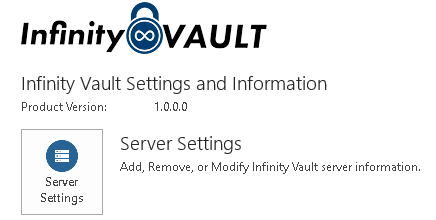
Click on the
 button to open the Infinity Vault Server Settings dialog.
Add an Infinity Vault Server
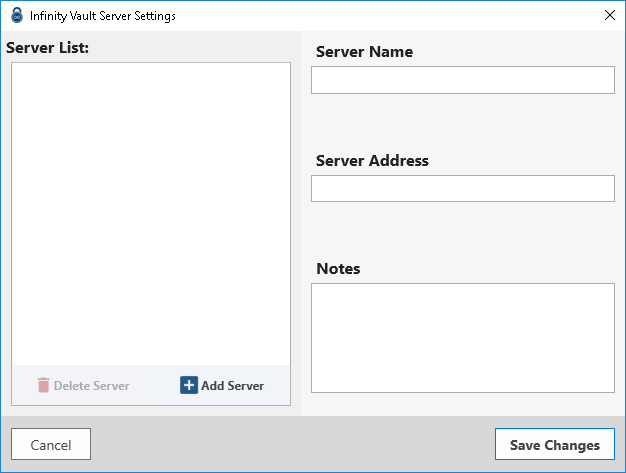
To add an Infinity Vault Server to this installation, begin by clicking the  button.
You can now change the Server Name, Server Address, and any Notes as desired or provided by your system administrator. The Server Name and Server Address fields are required.
Click the  button to add the server and exit the dialog.
Modify an Infinity Vault Server
From the "Account" screen click the button to open the Infinity Vault Server Settings dialog.
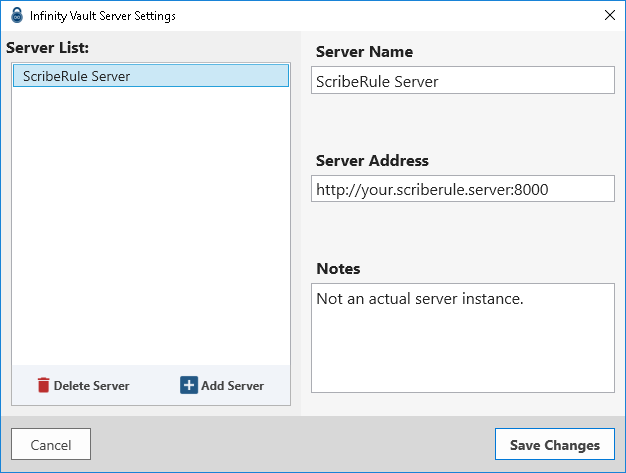
Select the desired server from the Server List and modify the Server Name, Server Address, or Notes entries as desired.
Click the button to modify the server and exit the dialog.
Delete an Infinity Vault Server
From the "Account" screen click the button to open the Infinity Vault Server Settings dialog.
Select the desired server from the Server List and click the  button to remove the server from your configuration.
Click the button to exit the dialog.
Summary
You should now be able to locate the Infinity Vault Server Settings in MS Word and Add, Modify, and Delete Infinity Vault Servers.
Next Steps
You will need to Sign In to Infinity Vault.