Clone a Security Style in Infinity Vault for MS Office
With the fine-grained security provided by Infinity Vault for MS Office, there are times when just a minor tweak to an existing Security Style is all that's needed for a New Secure Section This document will walk you through Cloning a Security Style in Infinity Vault.
Clone a Security Style
To clone an exising Security Style in Infinity Vault, you need to have the Infinity Vault Document open and be in Edit Mode.
Select the section of the document to which you would like to apply the cloned style.
Tip
Enusre you have selected the Secure Section that you would like to apply the cloned style to before cloning the Security Style as the cloned style will be saved and applied to the selected section.
In the Security Style Palette, click the Security Style to clone. With a Security Style selected, click the  to clone the selected style.
The Infinity Vault New Security Style screen will open with the name of the Security Style cloned and (Copy) in the Style Name.
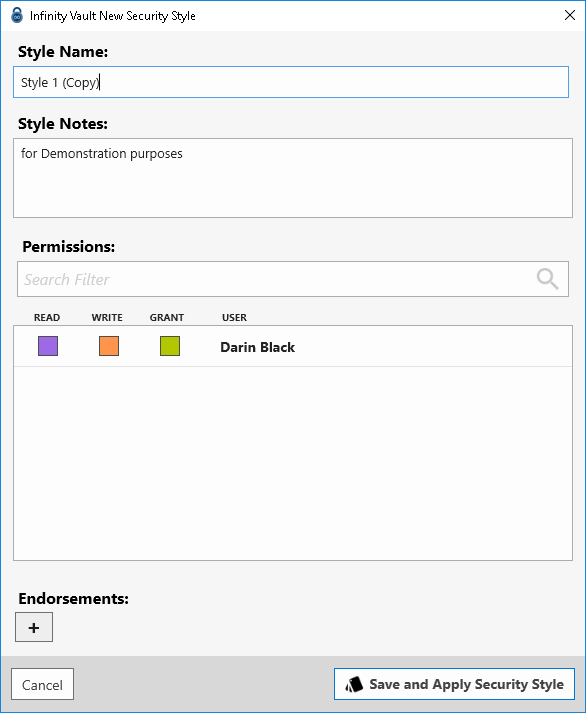
Type an updated name for the cloned style and make any additional modifications to the Style Notes, Permisisons, or Endoresements desired, then click the  button to save the cloned style and apply it to the selected section.
Summary
Cloning a Security Style is very similar to creating a New Security Style but can save time depending on the number of participants and complexity of the permissions applied in a style to be cloned.