Delete a Security Style
This document will walk you through Deleting an existing Security Style.
Note
To Delete a Security Style from an Infinity Vault Document, it cannot be applied to any Secure Section within the document.
To Delete a Security Style in Infinity Vault, you need to have the Infinity Vault Document open and be in Edit Mode.
Click the  button to open the Infinity Vault Security Styles screen.
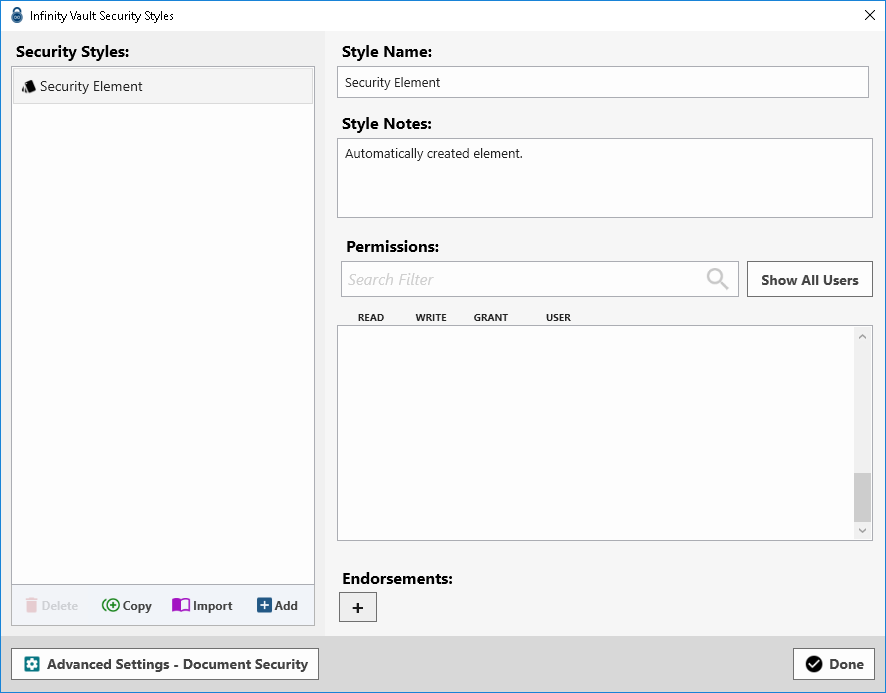
Click the Security Style to be deleted. If the Security Style is not applied to any Secure Section in the Infinity Vault Document, the  button will become enabled.
Click the to permanently delete the selected Security Style.
Click the  button to close the Infinity Vault Security Styles screen.
Summary
You should now be able to Delete a Security Style in an Infinity Vault Document and understand that if a Security Style is in use within a document that it cannot be Deleted.