Converting an existing document into Infinity Vault
This document will walk you through converting an existing document into a secure Infinity Vault document.
Prerequisites
Microsoft Word with the Infinity Vault Add-in for Office installed.
Open an existing document in Word
As covered in Infinity Vault Concepts, this locally stored document should be deleted as soon as it is converted into Infinity Vault.
Convert a document into Infinity Vault
Click the File menu. In Word 365, you will need to Click the Info sub-menu. You should now see an option for Infinity Vault Actions.
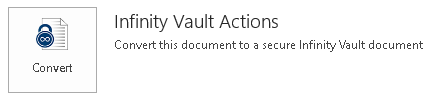
Click  to convert the document into Infinity Vault.
Note
If you are not currently logged in, you will be presented with the Sign In dialog to allow you to select an Infinity Vault Server and enter your Username and Password to Sign In.
Summary
Converting an existing document into a secure Infinity Vault document is accomplished with just a few clicks. The most important step for an existing document is to ensure the original document residing on your local system is deleted to ensure it cannot be compromised.
Next Steps
Open an existing Infinity Vault document.